Case Study

ScreenSage Live Vision AI

Product ScreenSageType Desktop AI · Vision pipelineRole Full-Stack Developer

Most AI assistants wait for you to explain your problem. ScreenSage already knows — continuous screen understanding, smart frame selection, and Vision AI responses fast enough to feel real-time.

ScreenSage desktop AI assistant
The Challenge

AI that sees live is a systems problem — not a prompt problem.

The hard part isn't the LLM call. It's continuous capture, frame triage, and latency low enough that help feels instant instead of delayed.

ContextUsers should not have to re-explain what is already on screen
CaptureContinuous screen capture without melting the CPU
FramesKnow which frames matter — and discard the rest
LatencyVision responses fast enough to feel real-time
FlowHelp without forcing tab switches or prompt theatre
PrivacyScreen-aware AI that still respects the user
The Solution

A vision pipeline that keeps you in flow

React, Node, and Claude's Vision API — wired so ScreenSage can watch, decide what matters, and respond without breaking context.

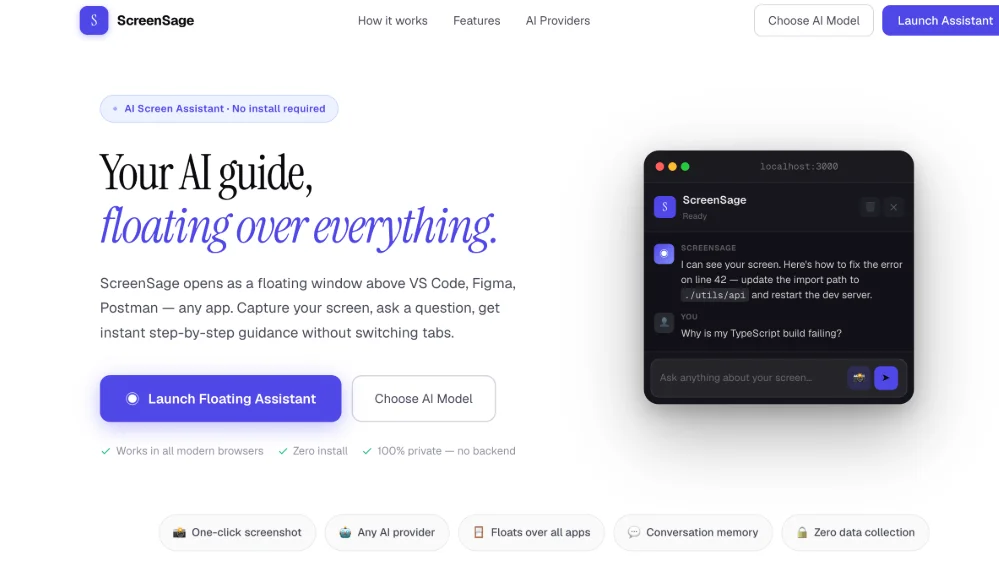
ScreenSage AI desktop assistant hero
01 — Context-aware AI

Most assistants wait for a prompt. ScreenSage already knows.

It watches your screen continuously, understands what you're working on, and helps — without you switching context or typing a long explanation. Help shows up where the work is happening.

  • Continuous screen understanding
  • Help without leaving the current task
  • No prompt-first friction for every ask
  • Desktop experience built for real work sessions
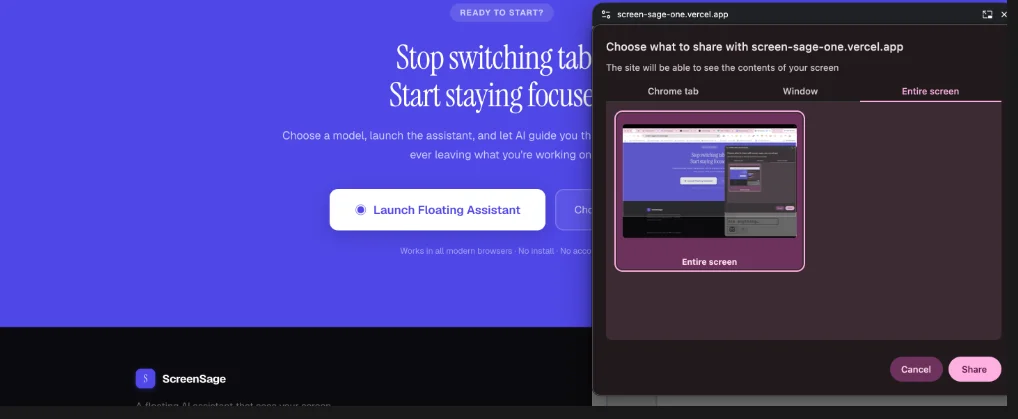
ScreenSage stop switching tabs experience
02 — Stay in flow

Stop switching tabs just to get an answer

Context switching kills momentum. ScreenSage is designed so you never break focus to open another chat window, paste screenshots, or re-explain the problem — the pipeline already has the frame.

  • Assistance without tab-hopping
  • Vision context from the active screen
  • Faster path from problem to answer
  • UX built around staying in the tool you're using
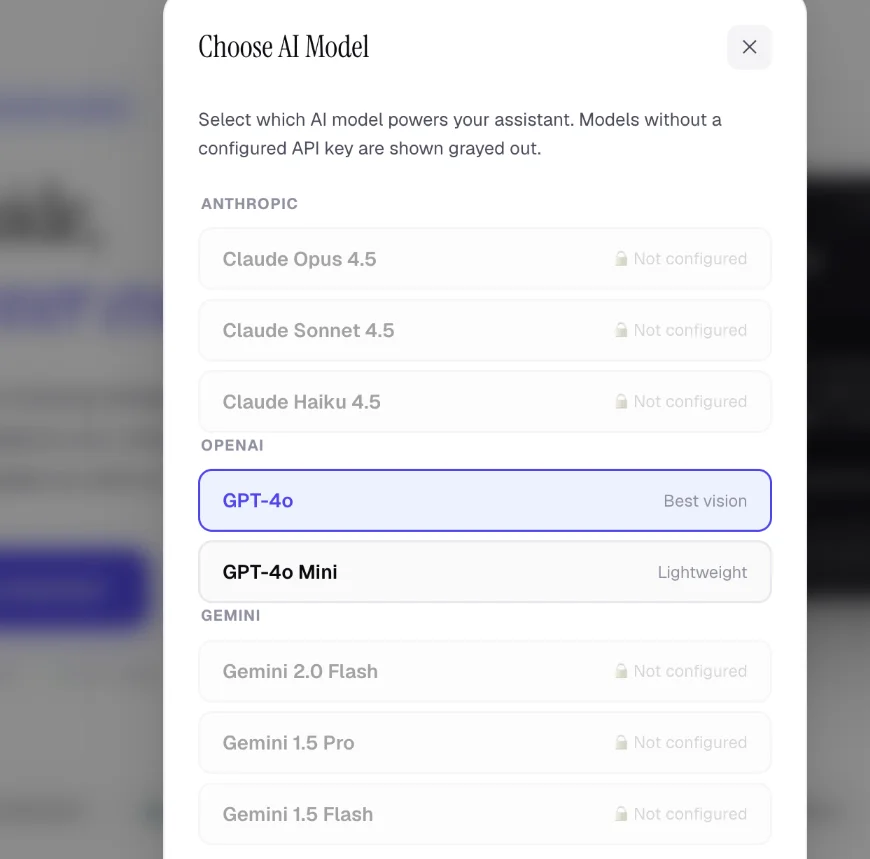
ScreenSage AI model selection
03 — The hard pipeline

The LLM call is easy. The real-time vision pipeline is not.

The hard part is continuous capture without killing the CPU, knowing which frames matter and which to discard, and getting a Vision AI response back fast enough to feel live — not lagged. Built on React, Node, and Claude's Vision API.

  • Efficient continuous screen capture
  • Frame selection — keep signal, drop noise
  • Low-latency path to Vision AI responses
  • React + Node + Claude Vision stack
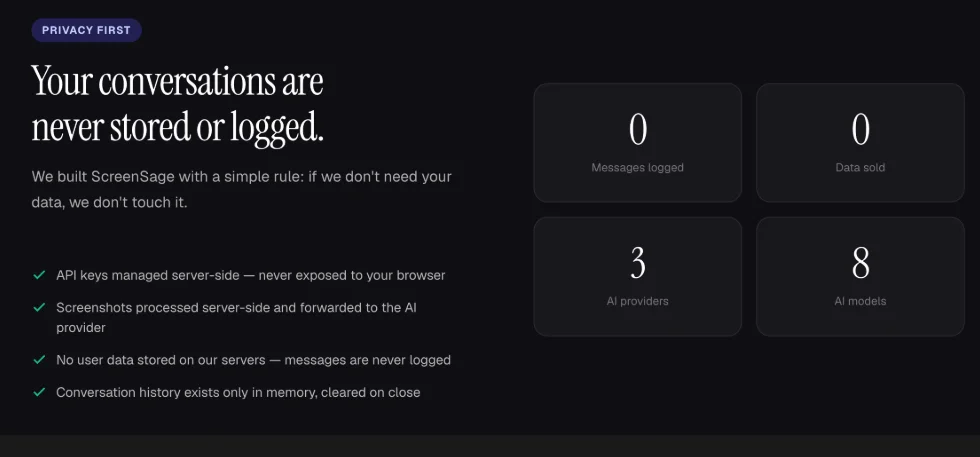
ScreenSage privacy-first AI
04 — Privacy first

See and respond live — without treating privacy as an afterthought

If your product needs AI that sees and responds live, this is that problem, solved — with a desktop experience that keeps privacy front and center while the pipeline stays fast enough to feel real-time.

  • Privacy-first product framing
  • Desktop application architecture
  • LLM prompt engineering for vision context
  • Platform ready for live, screen-aware AI
Outcome

If your product needs AI that sees and responds live — this is that problem, solved.

Live

Screen-aware assistance

0

Prompt-first friction by default

1

Vision pipeline that feels real-time

3

Core stack — React, Node, Claude Vision

The LLM call is the easy part. Continuous capture, frame selection, and real-time Vision responses are the product.

Skills & deliverables

What we shipped

AI PlatformAI DevelopmentMachine LearningLLM Prompt EngineeringDesktop ApplicationClaude Vision APIReactNode.js

Let's build something great.

Need screen-aware AI, a vision pipeline, or a desktop product that responds in real time? Book a free discovery call.

Let's buildsomething great.

Book a Discovery Call

Trusted by 120+ brands this year. Book a free discovery call and let's talk about what your brand needs to grow.